Device Compatibility and Limits for Escapesim Use in Egypt
9/8/2026
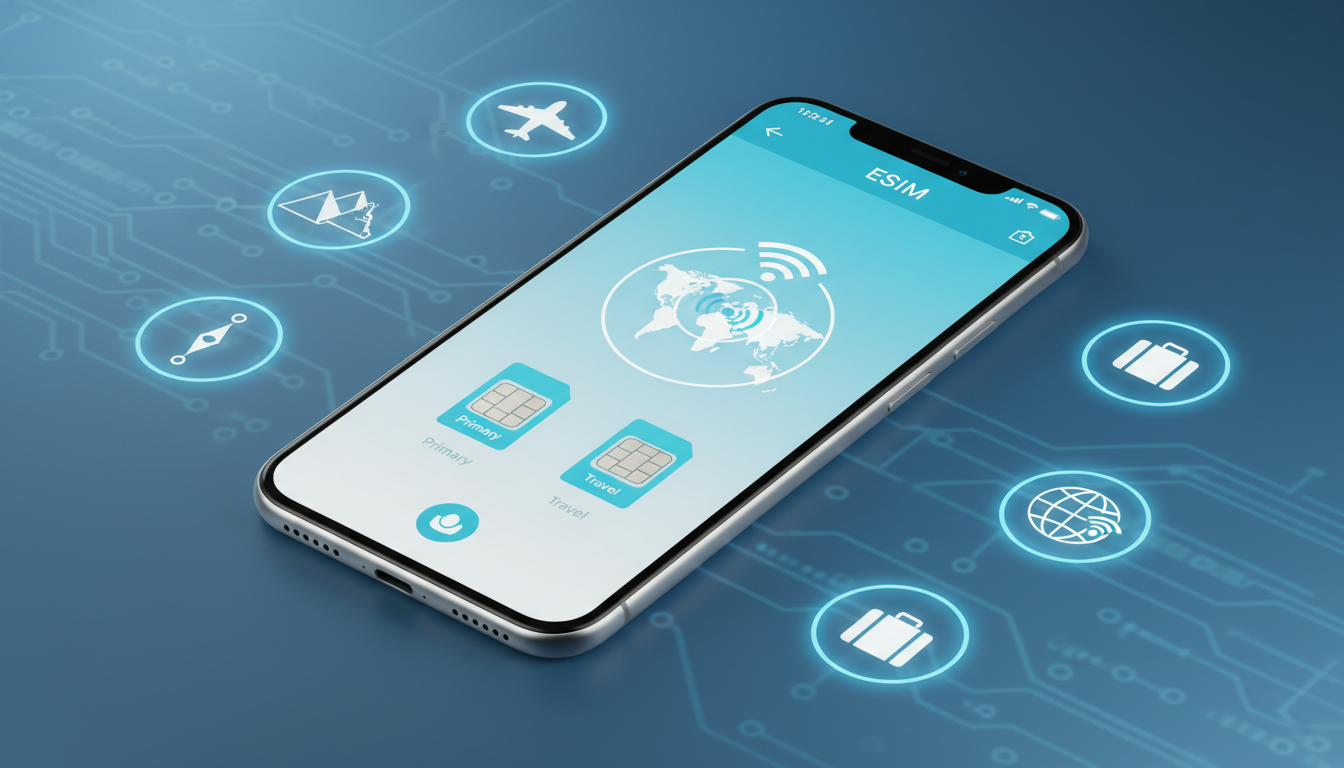
Which Devices Support EscapeSIM eSIM Activation and What Are the Technical Limits?
If you’re planning to use EscapeSIM for travel connectivity in Egypt or anywhere else, the first question is: does your device support eSIM activation? EscapeSIM offers instant activation of travel-ready eSIMs with reliable coverage in over 190 countries, but not every device can handle an eSIM, and there are technical limitations that affect how you can use it.
Understanding these compatibility details is crucial before buying a plan or relying on EscapeSIM’s service during your trip.
Device Compatibility Overview
EscapeSIM works with devices that support embedded SIM technology, commonly known as eSIM. This includes many recent smartphones, tablets, and some laptops.
However, compatibility depends on the device’s hardware and software capabilities, as well as carrier restrictions.
| Device Type | Typical eSIM Support | Notes on Compatibility |
|---|---|---|
| iPhone | iPhone XS and later | Full eSIM support with dual SIM capability |
| Android Phones | Selected models only | Depends on manufacturer and Android version |
| Tablets | iPad Pro (3rd gen+) | Supports eSIM for data plans |
| Laptops | Some Windows 10+ | Requires specific cellular modules |
EscapeSIM’s app is available on both iOS and Android platforms, allowing users to purchase and activate eSIM plans instantly. But the key is whether your device’s firmware supports the GSMA specification SGP.22, which governs remote eSIM provisioning.
Which Smartphones Are Compatible?
The most reliable devices for EscapeSIM activation are Apple iPhones from the XS model onward. These phones have built-in eSIM chips that can be activated alongside a physical SIM card, enabling dual SIM functionality.
The iPhone XR, XS Max, 11 series, 12 series, 13 series, and newer models all support this feature.
On Android, compatibility is more fragmented. Brands like Google Pixel (starting from Pixel 3), Samsung Galaxy S20 and newer models generally support eSIM.
However, many mid-range or budget Android devices lack this hardware or have carrier-locked firmware that disables eSIM functionality.
A critical field observation: if your Android phone runs a custom ROM or an outdated OS version below Android 10, the eSIM activation process may fail because the device lacks proper support for GSMA SGP.22 profiles, resulting in activation errors or inability to connect to local networks.
Tablets and Laptops: What Works?
For tablets, Apple’s iPad Pro models from the third generation onward include eSIM support designed mainly for data plans like those offered by EscapeSIM. Microsoft Surface devices with LTE modules running Windows 10 or later can also use eSIMs but require specific drivers and carrier profiles.
A technical limitation to note: Windows laptops often require manual installation of the EscapeSIM profile via Windows Settings or a dedicated app because automatic provisioning is less common than on smartphones. This means you must follow precise steps to avoid profile corruption or failure to connect.
Technical Limitations When Using EscapeSIM in Egypt
Egypt presents some unique challenges for travel connectivity using eSIMs like EscapeSIM:
- No Voice or SMS Services: EscapeSIM offers data-only plans without phone numbers or SMS capabilities in Egypt. This means you cannot receive verification codes via SMS or make voice calls through the EscapeSIM line itself.
- Network Locking: Some devices locked to carriers outside Egypt may refuse to register on Egyptian networks even with an active EscapeSIM profile.
- Dual SIM Conflicts: On devices with dual SIM slots (physical + eSIM), simultaneous use depends on hardware design. For example, some iPhones allow both lines active simultaneously; others may disable one when the other is in use.
- Activation Window: The GSMA SGP.22 standard requires a stable internet connection during profile download and activation. If your device loses connectivity mid-process, the profile may become corrupted, requiring a reset.
A key field insight: over-tightening network settings or manually switching between profiles without proper deactivation can cause your device to lose network registration temporarily, forcing a restart of the activation process.
How to Check If Your Device Supports EscapeSIM
To avoid frustration when trying to activate an EscapeSIM plan for Egypt travel connectivity:
- Check Your Device Model: Confirm if your phone or tablet model officially supports eSIM by consulting manufacturer specs or trusted sources.
- Update Your OS: Ensure your device runs the latest firmware version supporting GSMA SGP.22 remote provisioning.
- Verify Carrier Lock Status: Devices locked to specific carriers may block eSIM activation from third-party providers like EscapeSIM.
- Use Official Apps: Download the official EscapeSIM app from Google Play Store or Apple App Store for smooth activation.
- Test Activation Early: I always start by activating my eSIM well before traveling to troubleshoot any issues without time pressure.
For travelers heading to Egypt specifically, it’s wise to consult dedicated resources about local network compatibility and roaming restrictions; for instance, this detailed Egypt eSIM guide explains how major operators like Vodafone Egypt and Orange handle eSIM profiles.
Common Mistakes When Using EscapeSIM on Unsupported Devices
Many users attempt to activate an EscapeSIM plan on unsupported devices or outdated software versions without realizing it leads to:
- Activation failures due to missing GSMA SGP.22 compliance.
- Inability to connect to local LTE networks despite successful profile installation.
- Conflicts between physical SIM and eSIM causing dropped connections.
- Loss of data access when switching between profiles without proper deactivation.
I’d advise against buying an EscapeSIM plan without verifying these conditions first because troubleshooting network issues abroad can be time-consuming and costly.
The Role of Software Updates and Carrier Restrictions
Device manufacturers regularly update their operating systems to improve eSIM functionality and fix bugs related to remote provisioning protocols. For example:
- Apple’s iOS updates often enhance dual SIM management and network stability for eSIMs.
- Google’s Android releases since version 10 include expanded support for multiple profiles per GSMA SGP.22 standard.
However, carrier restrictions remain a significant hurdle: some carriers disable or limit eSIM usage on certain devices through firmware locks or policy enforcement.
A practical tip from my work: always check if your current carrier allows adding third-party eSIM profiles before purchasing an EscapeSIM plan, especially if you intend to keep your physical SIM active simultaneously.
Where To Find Reliable Information About EscapeSIM Compatibility
EscapeSIM maintains official apps on both major platforms:
These apps provide instant access to data packages covering over 180 countries but also list compatible devices and troubleshooting guides.
For deeper insights into how EscapeSIM works technically in Egypt’s mobile landscape, I recommend reading this in-depth article about using an Egypt eSIM that covers operator compatibility and activation tips specific to the region.
Summary of Key Compatibility Points
- Only devices supporting GSMA specification SGP.22 remote provisioning can activate EscapeSIM profiles reliably.
- Apple iPhones XS and newer offer the best native support with dual SIM functionality.
- Many Android phones support eSIM but require up-to-date OS versions (Android 10+) and manufacturer-enabled features.
- Tablets like iPad Pro (3rd gen+) support data-only plans via EscapeSIM.
- Windows laptops need manual profile installation due to limited automatic provisioning.
- In Egypt, EscapeSIM provides data-only plans without voice/SMS services; carrier locks may block activation.
- Activation requires stable internet connection; interruptions risk corrupting profiles.
- Dual SIM conflicts can cause temporary loss of connectivity if not managed properly.
By understanding these technical limits and verifying your device beforehand, you avoid common pitfalls that spoil the EscapeSim experience during travel.
How Technical Constraints Affect Your EscapeSim Adventure in Egypt
When using an EscapeSim adventure for travel connectivity in Egypt, several technical constraints shape what you can expect from your virtual escape into seamless mobile data access.
Data Only Plans Without Phone Numbers
EscapeSim primarily offers prepaid data-only plans without phone numbers or SMS services in Egypt. This means:
- You cannot receive SMS-based two-factor authentication codes through the EscapeSim line itself.
- Voice calling over cellular networks is unavailable; VoIP apps require Wi-Fi or mobile data only.
This limitation stems from local regulations and operator agreements restricting virtual numbers tied to data-only profiles.
Network Registration Challenges on Locked Devices
Devices locked by foreign carriers often reject Egyptian network registration despite having an active EscapeSim profile installed. The mechanism here is that locked firmware checks IMSI numbers against approved carriers before allowing network attachment.
The consequence is that travelers using locked phones may find themselves unable to connect even after successful profile download — a frustrating dead end requiring either unlocking their device or switching phones.
Dual SIM Management Issues
Some users face conflicts when running both physical SIM cards and an active EscapeSim profile simultaneously:
- On certain iPhones, both lines remain active but only one handles voice calls at a time.
- On some Android phones, activating one SIM disables the other temporarily due to hardware limitations.
Improper switching between lines can cause loss of mobile data until rebooting or reactivating profiles correctly.
Steps To Verify And Activate Your EscapeSim Profile Correctly
Getting your device ready for an EscapeSim challenge means following precise steps:
-
Confirm Device Compatibility
- Check manufacturer specs for GSMA SGP.22 compliance.
- Verify OS version supports remote provisioning (iOS 12+ recommended; Android 10+).
-
Download Official App
- Use the official EscapeSim app from Apple App Store or Google Play Store for secure profile management.
-
Purchase Data Plan
- Select a suitable prepaid plan covering Egypt; prices vary by provider (see MyBestSim comparison).
-
Activate Profile
- Scan QR code provided by EscapeSim within app or system settings.
- Ensure stable Wi-Fi connection during download; interruptions risk corrupting profile files.
-
Test Connectivity
- After installation, disable Wi-Fi briefly to confirm mobile data works through new profile.
- Switch off physical SIM if conflicts arise during testing.
-
Manage Profiles Carefully
- Avoid toggling between multiple profiles without proper deactivation steps.
- Restart device if network registration fails after switching lines.
Comparing Top Providers Offering Data Plans Compatible With Your Device
While this article focuses on device compatibility rather than pricing specifics, knowing which providers offer reliable plans compatible with most devices helps you choose wisely for your Egyptian travels using EscapeSim technology.
Here are some top providers ranked by MyBestSim based on coverage quality and user ratings:
| Provider | MyBestSim Rank | User Rating (/5) | Promo Code | Discount |
|---|---|---|---|---|
| Roamic | 1 | 4.9 | MYBESTSIM | -10% unlimited |
| Yesim | 3 | 4.8 | MYBESTSIM20 | -20% unlimited |
| NadaNada | 11 | 4.2 | MYBESTSIM | -15% unlimited |
These providers offer prepaid data-only plans compatible with most modern smartphones supporting GSMA SGP.22 provisioning standards required by EscapeSim services.
Using an EscapeSim puzzle approach means understanding these technical boundaries so you can solve connectivity challenges efficiently while traveling in Egypt—ensuring your virtual escape room experience remains uninterrupted by avoidable device incompatibilities or network issues.
FAQ
Which devices support EscapeSIM eSIM activation?
EscapeSIM eSIM activation works on devices supporting GSMA SGP.22 remote provisioning, including iPhone XS and newer, select Android phones like Google Pixel 3+, and iPad Pro (3rd gen+) tablets. Some Windows 10+ laptops with cellular modules also support it but may require manual setup.
What technical limits affect EscapeSIM use in Egypt?
In Egypt, EscapeSIM offers data-only plans without voice or SMS services. Devices locked to foreign carriers may fail network registration, and dual SIM conflicts can cause connectivity issues. Activation requires a stable internet connection to avoid profile corruption.
How can I check if my device supports EscapeSIM?
Verify your device model supports eSIM with GSMA SGP.22 compliance, update to the latest OS version (iOS 12+ or Android 10+), confirm it’s not carrier-locked, and use the official EscapeSIM app for activation to ensure compatibility.
Why might EscapeSIM activation fail on some Android phones?
Activation may fail if the Android phone runs a custom ROM or an OS version below Android 10, lacks GSMA SGP.22 support, or has carrier restrictions disabling eSIM functionality, resulting in errors or inability to connect to local networks.
What should I do if dual SIM causes connectivity issues?
If using both physical SIM and EscapeSIM eSIM causes conflicts, try disabling one SIM temporarily, avoid switching profiles without proper deactivation, and restart your device to restore network registration and stable data access.

Omar Hassan
Omar is a travel-tech writer covering North Africa and the Middle East. At Egypt eSIM he tests Vodafone, Orange and Etisalat coverage from Cairo to the Red Sea.