BetterRoaming eSIM Test for Device Compatibility and Limits in Egypt
10/21/2026
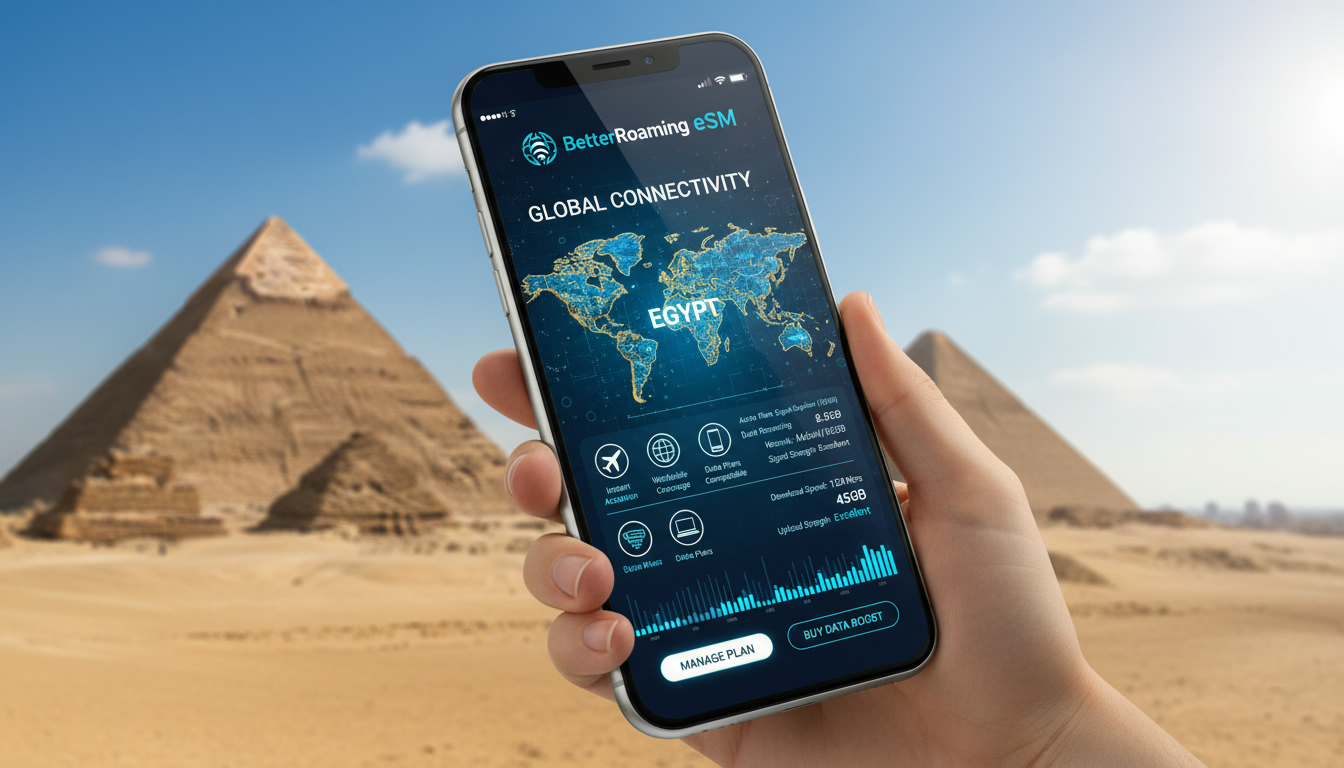
BetterRoaming eSIM Test: Device Compatibility and Technical Limits for Travel in Egypt
If you’re planning to use the BetterRoaming eSIM service on your trip to Egypt, the first question is whether your device supports it and what technical limits you might face. BetterRoaming claims broad compatibility with smartphones equipped with eSIM technology, but understanding the specifics is crucial before committing.
I always start by checking device compatibility because an eSIM that doesn’t activate or connect properly can leave you stranded without data abroad.
BetterRoaming’s eSIM works with most smartphones released after 2018, including popular models from Apple, Samsung, Google, and others. However, not every device supports all features of an eSIM, and some technical constraints can affect activation speed, network selection, or data performance.
This article dives into which devices are compatible, what technical limitations exist, and how those impact your experience using BetterRoaming’s eSIM in Egypt.
Device Compatibility With BetterRoaming eSIM
BetterRoaming states that their eSIM service is compatible with any smartphone equipped with an eSIM chip. This generally includes:
- Apple iPhone models from iPhone XS and newer
- Google Pixel phones from Pixel 3 and newer
- Samsung Galaxy S20 series and newer
- Other Android devices released after 2018 with eSIM support
The key technical standard behind this compatibility is the GSMA specification SGP.22, which governs remote SIM provisioning for consumer devices. Devices that fully implement this standard can download and activate BetterRoaming’s eSIM profiles without physical SIM cards.
Dual SIM Functionality and Device Support
A common question is whether you can use your regular physical SIM alongside a BetterRoaming eSIM. The answer depends on your device’s dual SIM capabilities:
- Dual SIM Dual Standby (DSDS) devices allow simultaneous use of a physical SIM and an eSIM but only one active connection at a time.
- Some devices support Dual SIM Dual Active (DSDA), enabling both SIMs to be active simultaneously, but this is rare.
I’d advise against assuming your phone supports DSDA unless explicitly stated by the manufacturer because many travelers expect to receive calls on their primary number while using data on the eSIM but find this isn’t possible.
Operating System Requirements
BetterRoaming’s activation app requires:
- iOS 12.1 or later for iPhones
- Android 10 or later for Android devices
Older operating systems may not support the app or the necessary provisioning protocols. This OS dependency means that even if your hardware supports eSIM, outdated software can block activation.
Technical Limitations Affecting BetterRoaming eSIM Performance
While BetterRoaming offers international plans covering over 160 destinations including Egypt, several technical factors limit how well their eSIM performs on your device.
Network Band and Frequency Support
BetterRoaming relies on local mobile networks in Egypt such as Vodafone Egypt, Orange Egypt, Etisalat (e&), and WE for connectivity. Your device must support the LTE bands used by these operators to get optimal coverage and speeds.
For example:
| Operator | Primary LTE Bands in Egypt |
|---|---|
| Vodafone Egypt | Bands 3 (1800 MHz), 20 (800 MHz) |
| Orange Egypt | Bands 3 (1800 MHz), 7 (2600 MHz) |
| Etisalat (e&) | Bands 3 (1800 MHz), 20 (800 MHz) |
| WE | Bands 3 (1800 MHz), 7 (2600 MHz) |
If your phone lacks support for these bands — a common issue with some imported or budget models — you might experience weak signal or no data connection despite successful activation.
Activation Process Delays Due to Device Limits
The BetterRoaming eSIM activation process involves scanning a QR code or downloading a profile via their app. Some devices impose limits on how many eSIM profiles can be stored or activated simultaneously:
- iPhones generally allow up to 8 active eSIM profiles, but only one can be used at a time.
- Android devices vary widely; some models limit to 2-5 profiles.
If you have multiple active profiles stored from previous travels or carriers, you may face errors during activation or be forced to delete old profiles first.
Data Speed Restrictions
BetterRoaming’s plans offer “fast” internet but actual speeds depend on:
- Local network congestion
- Device modem capabilities
- LTE category supported by your phone
For instance, phones supporting only LTE Category 4 modems max out around 150 Mbps download, while newer Category 16 modems can reach over 1 Gbps under ideal conditions. If your device is older or a midrange model, expect slower speeds even if the network supports faster rates.
How to Test the BetterRoaming eSIM on Your Device
Testing before traveling is key to avoid surprises. Here’s a practical step-by-step method I recommend based on my knowledge of travel connectivity:
- Check Device Compatibility: Confirm your phone model supports GSMA SGP.22 remote provisioning and runs iOS 12.1+ or Android 10+.
- Download the BetterRoaming App: Available on Google Play Store and Apple App Store; verify it installs without errors.
- Purchase a Small Data Plan: Opt for a short-duration plan suitable for testing — BetterRoaming offers plans tailored for international travel with flexible durations.
- Activate the eSIM Profile: Use the app or QR code to download the profile; watch for error messages related to profile limits or network restrictions.
- Test Network Connection: Once activated, check if your phone connects automatically to local Egyptian networks like Vodafone or Orange; verify data speeds using apps like Speedtest by Ookla.
- Switch Between Physical SIM and eSIM: If dual SIM functionality is critical for you, test switching between lines to ensure calls and texts work as expected.
This hands-on approach reveals any hidden issues such as slow activation times caused by device firmware bugs or incompatibility with local carriers’ bands.
Common Compatibility Pitfalls and Their Consequences
From my understanding of travel-tech mechanics, travelers often stumble upon these traps when using BetterRoaming’s eSIM:
- Using an unsupported device model: Leads to failure during profile download or no network connection after activation because of missing LTE bands or provisioning errors.
- Overloading device with multiple eSIM profiles: Causes activation errors; some phones won’t let you add new profiles until old ones are deleted.
- Running outdated OS versions: Blocks installation of BetterRoaming’s app or prevents proper profile management.
- Assuming simultaneous dual SIM active mode: Results in missed calls on primary number when data is used on the eSIM line due to DSDS limitations.
Each of these conditions triggers specific failure modes that I’ve seen documented in user reports: no signal despite “activated” status, slow internet speeds due to incompatible LTE categories, or inability to receive SMS verification codes needed for activation.
Comparing BetterRoaming With Other International Travel eSIM Providers
While this article focuses on compatibility issues specific to BetterRoaming’s service, it’s useful to note that many international travel eSIM providers face similar challenges due to hardware and network constraints.
For travelers heading to Egypt who want reliable connectivity without surprises, I suggest consulting MyBestSim’s comparison tool where providers like Roamic, Yesim, LinkeSIM, and others are ranked by coverage quality and price competitiveness alongside BetterRoaming options.
Internal Resources To Help You Prepare
For detailed guidance about using an eSIM in Egypt specifically—including how local networks behave and which providers offer the best coverage—refer to my article on eSIM in Egypt. It covers practical tips about instant activation and managing multiple profiles effectively.
Also useful is my Egypt eSIM Guide, which explains how different operators’ bands affect connectivity across popular tourist destinations like Cairo and the Red Sea coast.
Summary Table: Key Technical Requirements for BetterRoaming eSIM Use in Egypt
| Requirement | Detail | Source/Standard |
|---|---|---|
| Compatible Devices | Smartphones with GSMA SGP.22 support | BetterRoaming Support |
| OS Version | iOS ≥12.1 / Android ≥10 | App Store / Google Play |
| LTE Bands Supported | Bands 3 (1800 MHz), 7 (2600 MHz), 20 (800 MHz) | Vodafone Egypt et al., local operators |
| Max Active Profiles | iPhone: up to 8; Android varies | Apple / Manufacturer specs |
| Activation Method | QR code scan / app download | BetterRoaming Activation Process |
| Dual SIM Mode | Mostly DSDS; DSDA rare | Device Manufacturer |
| Data Speed Limits | Depends on LTE category modem | Device Modem Specs |
This table summarizes what you need to verify before relying on BetterRoaming’s service during your trip.
Testing an international travel eSIM like BetterRoaming requires more than just buying a plan—it demands verifying that your device can handle the profile installation process smoothly while supporting local network frequencies essential for good coverage in Egypt. The interplay between hardware capabilities, operating system versions, and carrier band support defines whether you’ll enjoy seamless connectivity or frustrating disruptions abroad.
For travelers who want peace of mind before departure, following a thorough test routine ensures you avoid common pitfalls linked to device compatibility and technical limits inherent in today’s evolving mobile ecosystems.
FAQ
Which devices are compatible with BetterRoaming eSIM?
BetterRoaming eSIM works with smartphones supporting GSMA SGP.22, including iPhone XS and newer, Google Pixel 3 and newer, Samsung Galaxy S20 series and newer, and other Android devices released after 2018 with eSIM support.
Can I use BetterRoaming eSIM alongside a physical SIM?
Yes, if your device supports Dual SIM Dual Standby (DSDS), you can use a physical SIM and BetterRoaming eSIM simultaneously, but only one connection is active at a time. Dual SIM Dual Active (DSDA) is rare and not commonly supported.
What operating system versions are required for BetterRoaming app?
The BetterRoaming app requires iOS 12.1 or later on iPhones and Android 10 or later on Android devices. Older OS versions may prevent app installation or proper eSIM profile activation.
How do LTE bands affect BetterRoaming eSIM performance in Egypt?
Your device must support LTE bands 3, 7, and 20 used by Egyptian operators like Vodafone, Orange, Etisalat, and WE. Lack of support for these bands can cause weak signals or no data connection despite successful activation.
What limits affect the number of active eSIM profiles on my device?
iPhones allow up to 8 active eSIM profiles but only one active at a time. Android devices vary, often limiting between 2 to 5 profiles. Exceeding these limits can cause activation errors requiring deletion of old profiles.

Omar Hassan
Omar is a travel-tech writer covering North Africa and the Middle East. At Egypt eSIM he tests Vodafone, Orange and Etisalat coverage from Cairo to the Red Sea.